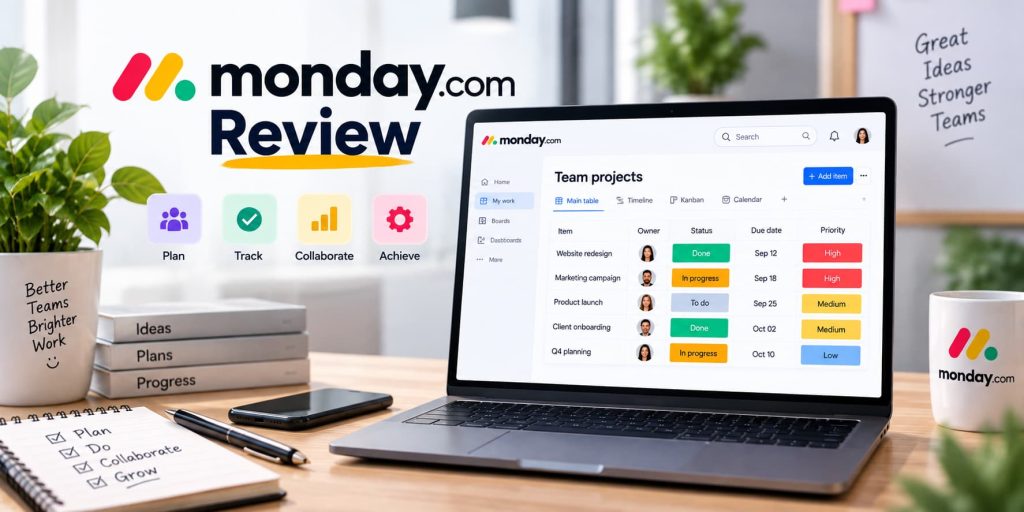
If you’re searching for monday.com reviews before choosing a project management or work management platform, you’re probably wondering whether it is easy to use, what features it offers, how much it costs, and whether it is worth paying for.
monday.com is a flexible work management platform designed to help individuals and teams organize projects, manage tasks, collaborate, automate repetitive work, and monitor progress from one place.
In this monday.com review, we’ll look at its main features, pricing, ease of use, automation, integrations, AI tools, pros and cons, and overall value.
Overall, monday.com is a strong option for teams that want customizable workflows and visual project management. However, its pricing structure and limited free plan may not suit everyone.
What Is monday.com?
monday.com is a cloud-based work management platform that helps teams organize and manage their daily work.
Instead of using separate spreadsheets, task lists, and communication tools, teams can use customizable boards to manage projects and workflows.
You can use monday.com to organize:
-
- Projects
- Tasks
- Marketing campaigns
- Sales activities
- Content calendars
- Employee onboarding
- Customer workflows
- Business operations
- Product development
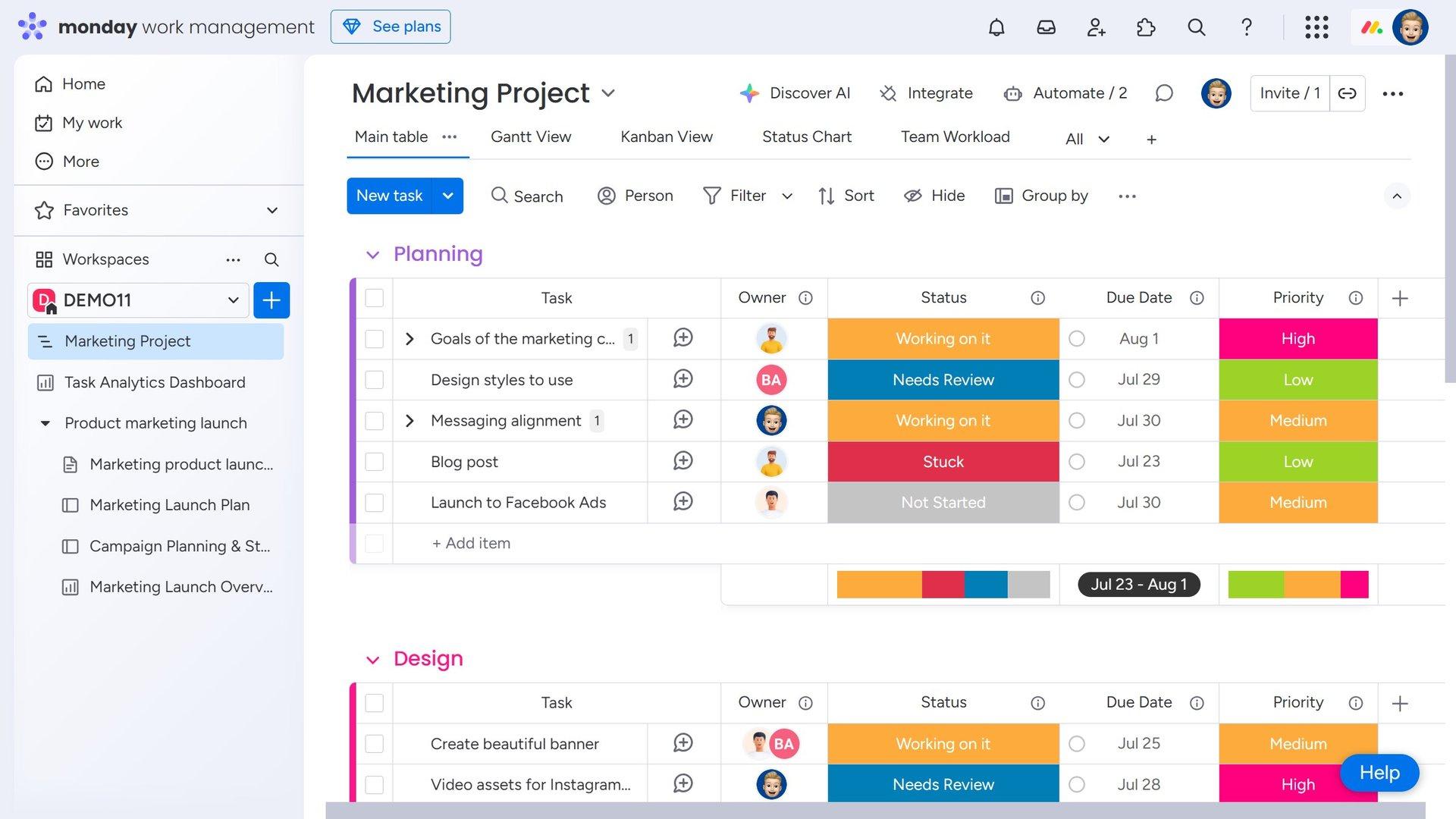
One of monday.com’s biggest advantages is its flexibility. Teams can customize boards, columns, statuses, views, dashboards, and automations according to their workflow.
monday.com Reviews: Pros and Cons
Before getting into the features, here’s a quick look at the main advantages and disadvantages.
Pros
-
- Easy-to-understand visual interface
- Highly customizable boards
- Multiple project views
- Large template library
- Workflow automation
- Numerous integrations
- Custom dashboards and reporting
- AI-powered features
- Collaboration tools
- Free plan available
Cons
-
- Free plan is limited
- Pricing can become expensive for larger teams
- Some advanced features require higher-tier plans
- Extensive customization can feel overwhelming
- AI features may have usage limitations
monday.com Features
1. Customizable Project Boards
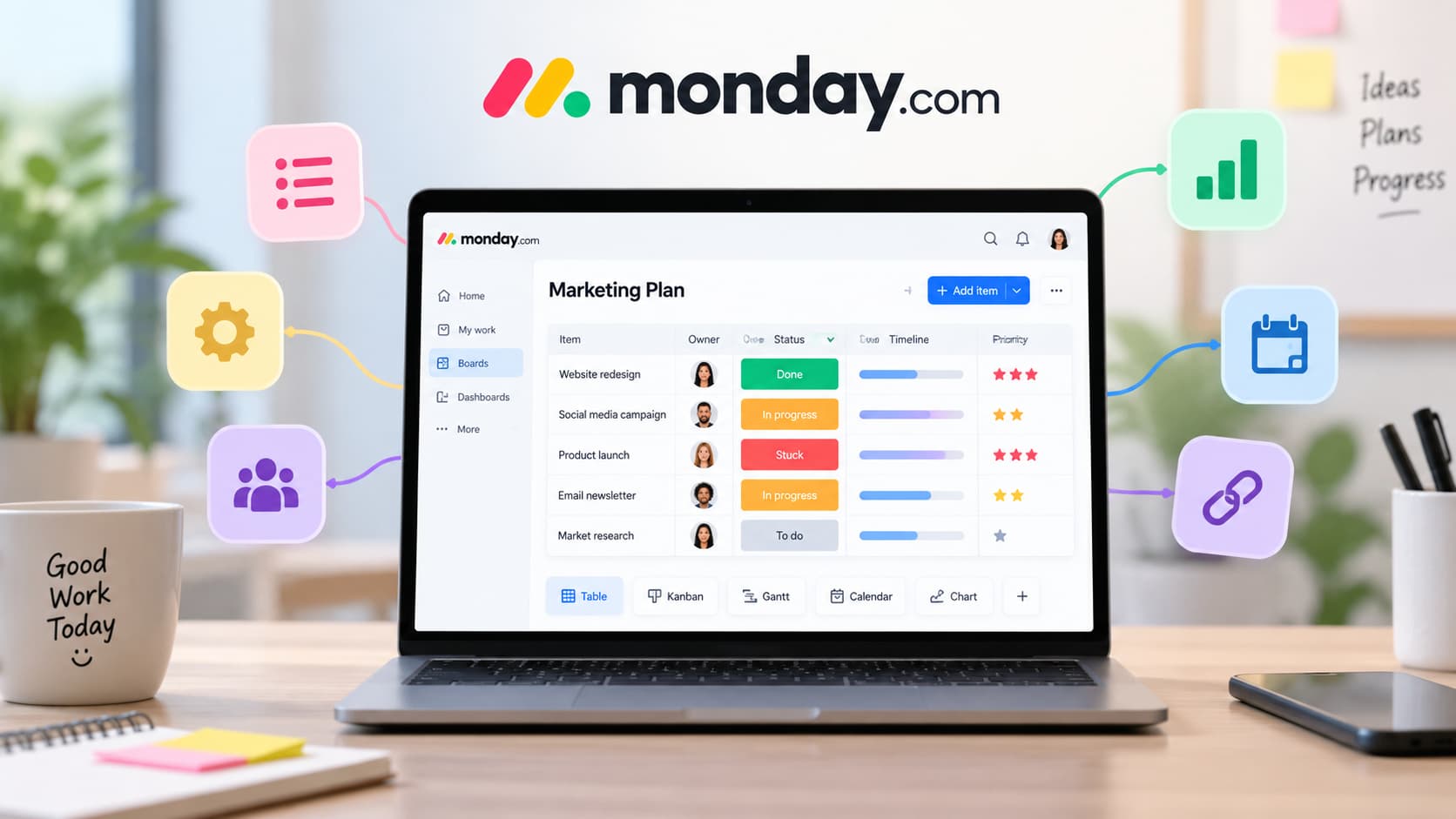
Boards are at the heart of monday.com.
You can create a board for virtually any workflow and customize it with different columns, statuses, dates, people, files, numbers, dependencies, and other information.
For example, a marketing team could create a content board with columns for:
-
- Content title
- Writer
- Status
- Deadline
- Content type
- Editor
- Publishing date
This makes it easy to see what needs to be done and who is responsible for each task.
2. Multiple Project Views
One of the biggest advantages of monday.com is that you can view the same information in different ways.
Depending on your plan and setup, you can use views such as:
-
- Kanban
- Timeline
- Gantt
- Calendar
- Chart
- Table
This flexibility is useful because different team members may prefer different ways of viewing project information.
A project manager might use a Gantt view to monitor deadlines, while a team member may prefer a Kanban board to track task progress.
3. Templates
If you don’t want to build your workflow from scratch, monday.com offers a large collection of ready-made templates.
Templates are available for areas such as:
-
- Project management
- Marketing
- Sales
- Human resources
- Operations
- Product development
- Content management
You can customize these templates after adding them to your workspace.
This makes monday.com easier to get started with, particularly for teams that are new to project management software.
4. Automation
Automation is another major strength of monday.com.
Instead of manually performing repetitive actions, you can create rules that automatically perform tasks when specific conditions occur.
For example:
When a task is marked complete → notify the project manager.
Or:
When a status changes → move the item to another group.
You can use automation for:
-
- Notifications
- Task assignments
- Status changes
- Recurring tasks
- Moving items
- Deadline reminders
- Workflow management
For teams handling repetitive processes, these automations can save time and reduce manual work.
5. Integrations
monday.com can connect with many of the applications businesses already use.
Integrations can help teams move information between monday.com and other services without repeatedly entering the same data manually.
Common integration use cases include:
-
- Communication
- CRM
- File management
- Development
- Marketing
- Productivity
monday.com also provides a marketplace where users can find additional apps and integrations.
6. Dashboards and Reporting
monday.com dashboards provide a centralized view of important information.
Instead of opening multiple boards individually, managers can use dashboards to monitor information from different workflows.
Depending on the plan, dashboards can help you track:
-
- Project progress
- Team workload
- Deadlines
- Performance metrics
- Numbers
- Time tracking
- Overall project status
This can be particularly useful for managers who need a quick overview of ongoing work.
7. Collaboration
monday.com isn’t only about task management. It also includes tools for team collaboration.
Users can:
-
- Assign tasks
- Add comments
- Mention team members
- Share files
- Provide updates
- Track activity
- Discuss work directly within items
Keeping conversations connected to individual tasks can make it easier for teams to understand the context behind a project.
8. monday.com AI
AI is becoming an increasingly important part of monday.com’s platform.
monday.com offers AI-powered capabilities designed to help teams automate and improve different types of work.
Depending on availability and plan, AI features can assist with tasks such as:
-
- Summarizing information
- Creating content
- Analyzing updates
- Extracting information
- Building workflows
- Automating tasks
- Meeting notes
- AI-powered agents
The company is also developing AI agents that can perform workflow-related tasks with greater autonomy.
For teams interested in combining work management with AI automation, this makes monday.com an increasingly interesting option.
monday.com Pricing
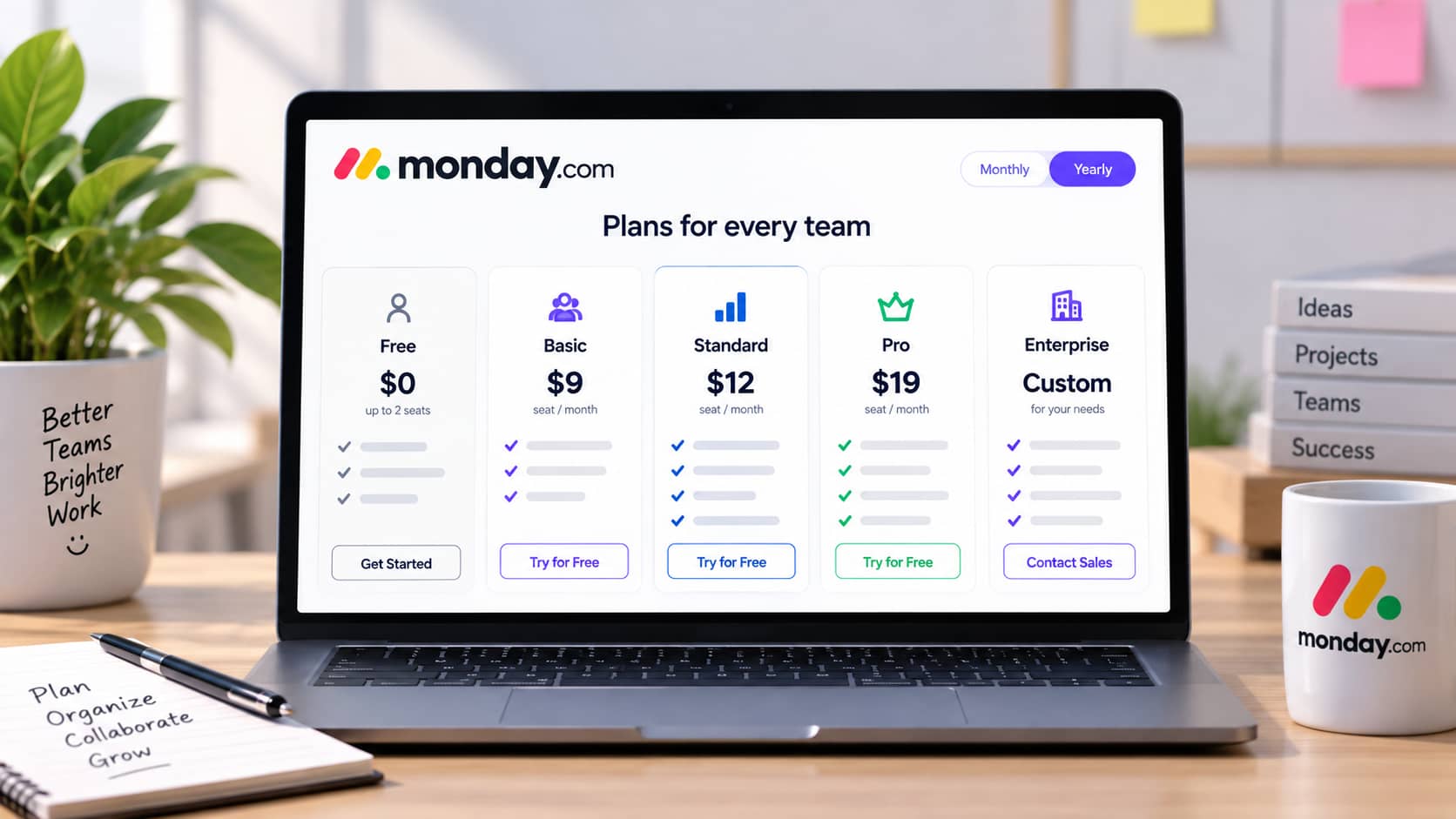
monday.com offers several pricing options for its Work Management platform, including:
-
- Free
- Basic
- Standard
- Pro
- Enterprise
The Free plan is designed for individuals and very small teams, while the paid plans add additional functionality such as automation, advanced views, dashboards, time tracking, and other features.
The paid plans start at $9 per seat per month when billed annually, according to monday.com’s current pricing information.
Free Plan
The Free plan costs $0 and can be useful for trying monday.com before upgrading.
However, it is limited to two seats, making it less practical for larger teams.
Basic Plan
The Basic plan is aimed at teams that primarily need shared boards and task management.
It provides more capacity than the Free plan but doesn’t include some of the advanced project management features available on higher plans.
Standard Plan
The Standard plan adds more useful project management capabilities, including additional views, automations, integrations, and collaboration functionality.
For many growing teams, Standard can be a more practical choice than Basic.
Pro Plan
The Pro plan is designed for teams that need more advanced work management capabilities.
It adds features such as time tracking and higher limits for automation and integrations.
Enterprise Plan
Enterprise is designed for larger organizations that require advanced security, governance, permissions, reporting, and support.
Enterprise pricing is customized based on the organization’s requirements.
Important: monday.com pricing and feature limits can change, so check the official pricing page before purchasing.
Is monday.com Easy to Use?
One of the reasons monday.com receives positive reviews is its visual interface.
The board-based design makes it relatively easy to understand tasks, deadlines, statuses, and responsibilities.
New users can also start with templates instead of creating an entire workflow from scratch.
However, monday.com offers a lot of customization.
That can be an advantage for experienced users, but beginners may need some time to understand all the available boards, columns, views, dashboards, and automation options.
The easiest approach is to start with a simple board and gradually add features as your workflow becomes more complex.
Who Is monday.com Best For?
monday.com is a good choice for:
Small and Growing Teams
Teams can use monday.com to organize tasks, projects, deadlines, and responsibilities in one workspace.
Marketing Teams
Marketing departments can manage content calendars, campaigns, creative projects, approvals, and publishing schedules.
Operations Teams
Operations teams can use automation and recurring workflows to reduce repetitive administrative work.
Project Managers
Project managers can use different project views, dashboards, dependencies, and workload tools to monitor projects.
Remote Teams
Because monday.com provides cloud-based collaboration and mobile apps, it can be useful for distributed teams that need access to project information from different locations.
Who Should Not Use monday.com?
monday.com may not be the best option if you:
-
- Only need a simple personal to-do list
- Want the cheapest possible project management software
- Don’t need workflow customization
- Prefer a very basic interface
- Don’t plan to use automation or integrations
- Need highly specialized enterprise project management features
For these users, a simpler or more specialized solution may be a better fit.
Is monday.com Safe?
Security is an important consideration when using cloud-based work management software.
monday.com provides security and governance features designed for organizations of different sizes, with additional controls available on higher-tier plans.
Businesses should still review monday.com’s security documentation and choose the plan that matches their data protection, access control, and compliance requirements.
As with any cloud service, users should also follow good security practices such as using strong passwords and enabling available account security features.
monday.com Reviews: What Are Customers Saying?

Customer opinions about monday.com generally focus on its flexibility, visual interface, and ability to adapt to different workflows.
Users who like monday.com often appreciate:
-
- Customizable boards
- Easy task tracking
- Visual project management
- Automation
- Integrations
- Templates
- Collaboration features
The most common concerns tend to involve pricing, plan limitations, and the learning curve associated with the platform’s extensive features.
Overall, monday.com is likely to appeal most to teams that want more flexibility than a basic task management application provides.
Is monday.com Worth It?
So, is monday.com worth it?
For many teams, yes.
monday.com combines project management, work management, collaboration, automation, dashboards, integrations, and AI tools in a single platform.
Its biggest strength is customization. You can create workflows that match your team’s specific requirements instead of adapting your business processes to a rigid system.
However, the platform isn’t necessarily the best choice for everyone.
If you’re an individual user or a very small team with basic task management needs, the Free plan may be enough to test the platform, but its two-seat limitation can become restrictive.
For growing teams, paid plans provide considerably more functionality, but you should compare the features and total seat cost before upgrading.
Final Verdict
monday.com is a powerful and flexible work management platform that can help teams organize projects, manage tasks, automate repetitive work, collaborate, and monitor performance.
Its biggest strengths include:
-
- Customizable boards
- Multiple project views
- Automation
- Integrations
- Templates
- Dashboards
- Collaboration tools
- AI capabilities
Its main drawbacks are its limited Free plan, potentially higher costs as your team grows, and the learning curve created by its extensive customization options.
Our verdict: monday.com is worth considering if you want a flexible platform that can adapt to different team workflows. It is particularly suitable for small and growing businesses, marketing teams, operations teams, project managers, and organizations that want automation and customization in one place.